Adding an account for external transfers
With Online Banking, you can make transfers to and from external accounts added to your online banking profile.
- Select Transfers from the main menu.
- Select External account from the Transfers screen.
- As our Bank uses two-factor authentication, when prompted for your password, enter it and select Submit.
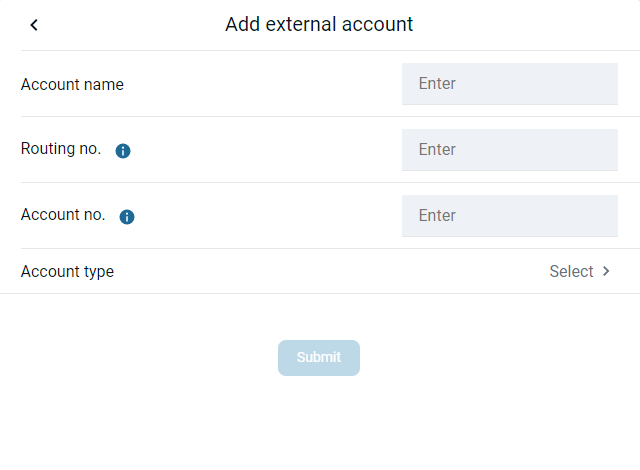
- Complete the Account name, Routing no., Account no., and Account type fields on the Add external account screen.
- Select Submit.
If the account is eligible to send inbound transfers to accounts in Online Banking, a message appears saying that two small deposits have been sent to the account and will arrive in 3-5 days. - Select OK.
- Verify your deposit amounts to activate external transfers.