Phone
You can call our toll free Card Management Service anytime at 888-297-3416.
Banno Online Banking
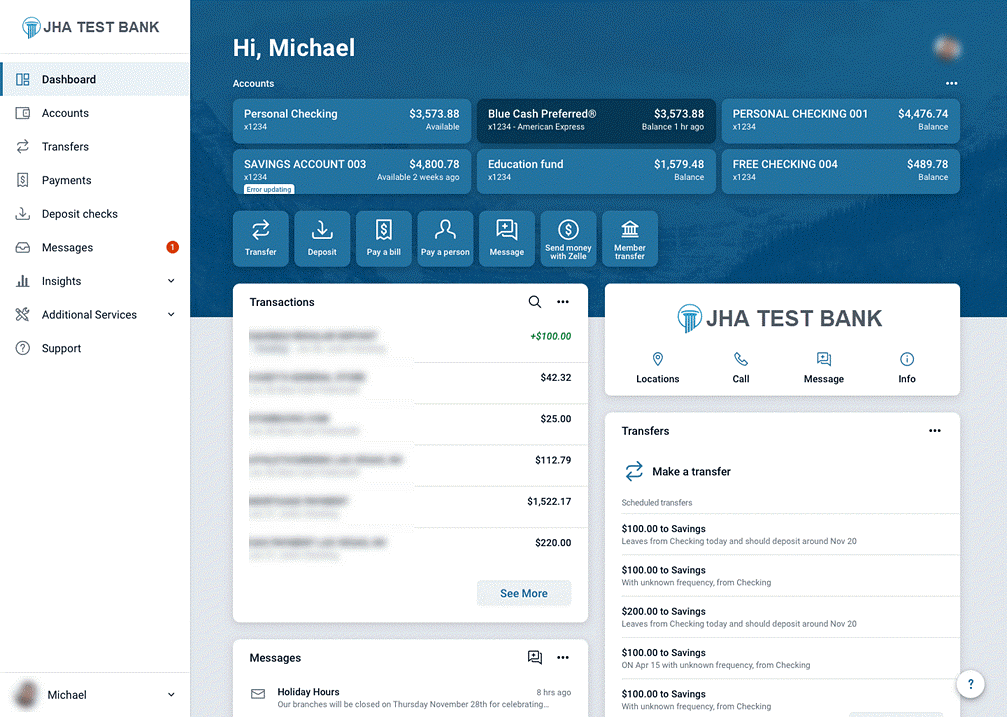
The Online Banking dashboard is the hub where you can see your online banking information at a glance in categorized sections. The screen appears upon first logging on to Online Banking.
On the dashboard, you can view your account information, access money movement actions, view account activity, view remote deposits, and view messages and alerts.
Locking and unlocking cards from the dashboard
Online Banking users can unlock and lock their debit cards quickly by using the Card management area of the dashboard.
- Find the Card management section of the dashboard.
- Locate the desired card.
- Select the toggle next to the card to lock or unlock it.
TCB Mobile App
Mobile Banking allows users to have more control over their debit cards.
The mobile app allows for the following actions to be taken.
- Activate or deactivate card
- Report lost card
- Report stolen card
- Reorder card
- Activate new card
- Access Alerts and protection
To access these features, go to Accounts > Pick an Account [Account Name] > Manage Cards.
Users can also use the Manage Cards dashboard card to activate and deactivate cards. To add this dashboard card, go to the bottom of the dashboard and select Organize Cards > Add Cards > Manage Cards > Add. After adding the dashboard card, users can select the toggles to activate and deactivate cards. They can also select the card name to access other card management options.