Creating a Banno Mobile account
Complete these steps to set up the mobile app. You can create a mobile banking login whether you have an online banking login or not.
- Open the TCBssb mobile banking app.
- Select First time user? Enroll now.
- Choose a situation and follow the corresponding step.
|
Situation |
Step |
|
The user has an online banking login. |
Continue to the next step. |
|
The user does not have an online banking login. |
|
- Enrollment screen for users without an existing online banking login
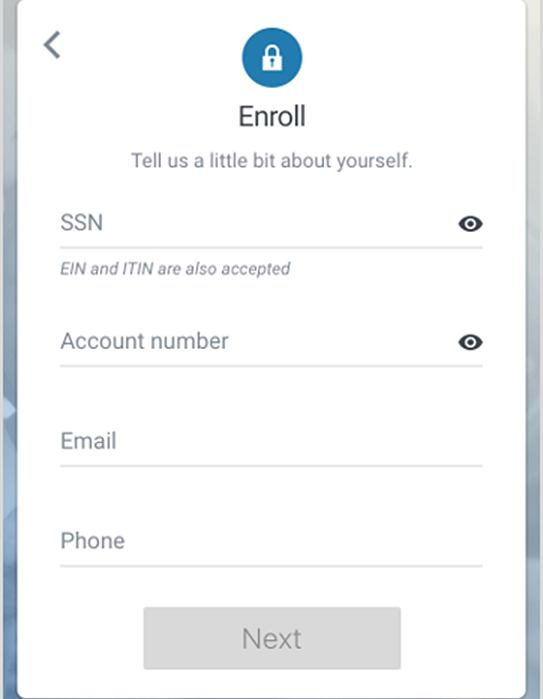
|
The Bank uses two-factor authentication. |
a. When the Secure your account screen appears, complete the form details to set up two-factor authentication. b. After entering the form details, select Next. c. Enter the verification code sent from the app. If the end user does not want to receive the code via SMS, they can select Get your code another way for alternative methods. d. Select Verify. e. Select OK. |
- When the User Agreement appears, select Accept.
- Choose a situation and follow the corresponding steps.
|
Situation |
Steps |
|
The user is logging on using an existing online banking login. |
Continue to the next step. |
|
The user is creating an online banking/mobile banking login. |
a. Create credentials by entering information in the Username and Password fields. b. Select Next. |
You can see username and password rules by selecting Show rules for either.
- Create a passcode, and then confirm it by entering it again on the following screen.
*Standard wireless carrier rates may apply