
SUMMARY
Follow the steps in details section for Meet performance issue.
DETAILS
1: If you face google meet performance (slowness, choppy audio/ video, lag in audio/video) follow steps CLICK HERE.
2: Find Chrome version and update it CLICK HERE
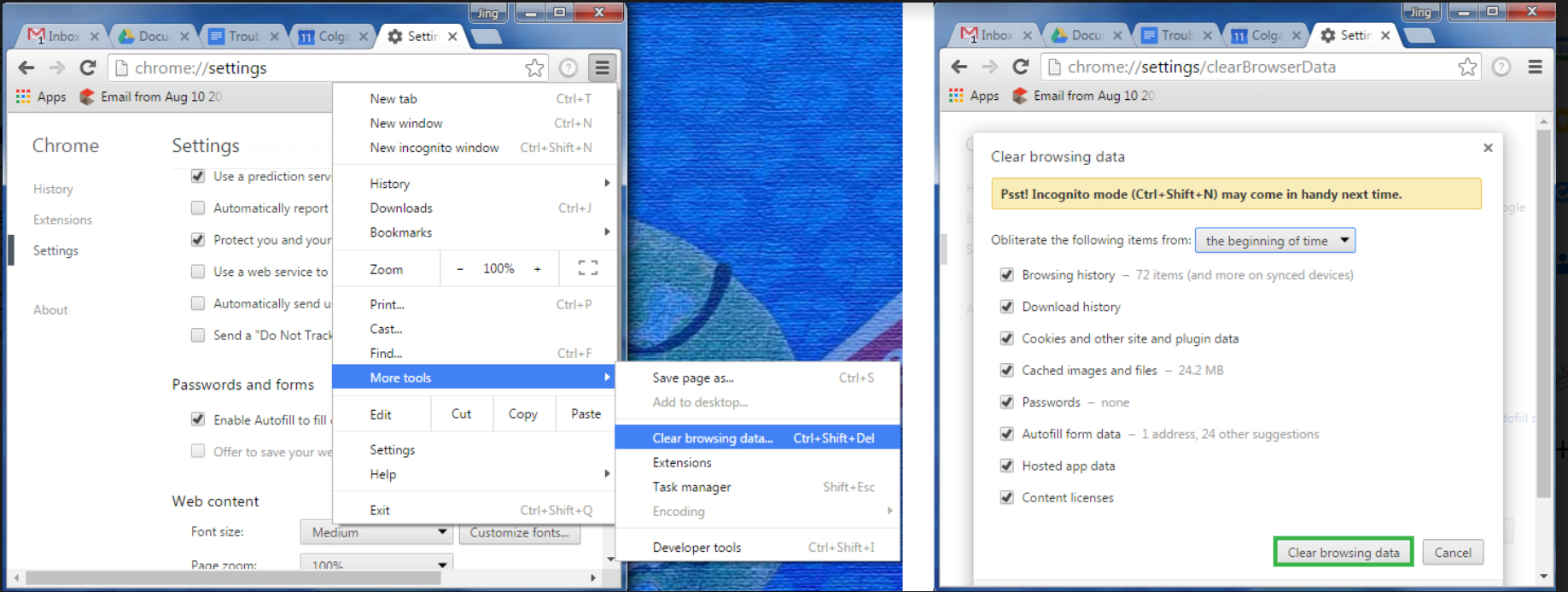
3: Clear chrome Cache and cookies
Clear Chrome Cache To do this, open Chrome, click on the 3 bars icon → More Tools → Clear Browsing Data
4: Check the network connectivity If possible change service provider (connect to any other network)
5: Close chrome browser and open again and check.