
SUMMARY
SAP system name cannot be found in SAP logon
DETAILS
Follow steps to map SAP system
1. Open SAP log on, click on the New button option

2. In the window that opens click on Next

3. Enter Description, Application server, Instance Number, System ID as example below
(these details are system specific, i.e different for every SAP system)
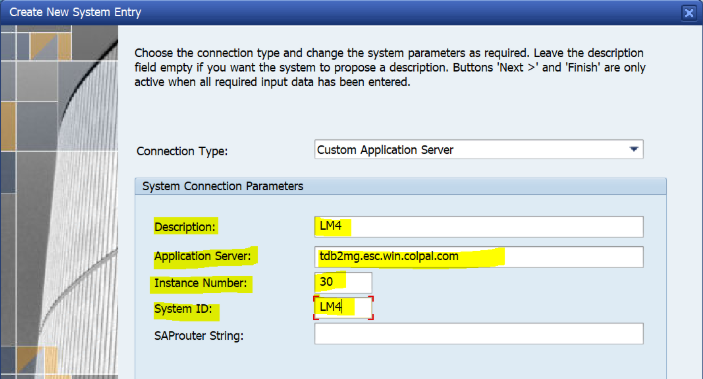
4. Click on Finish button and the system would be visible under

5. After clicking on Finish, search for the system and it would be visible
