
SUMMARY
Activates Out Of Office alert in Gmail, calendar and Google chat.
DETAILS
Google has introduced a new feature for "Out of Office" in Gmail and Google chat.
Your out of office is visible in more places across G Suite.
As a sender, you are aware that you’re messaging people at an appropriate time. Making an Out of Office (OOO) entry in your calendar, will alert people about it when they try to contact you during that period through Google chat or Gmail.
1. Create an event in calendar.
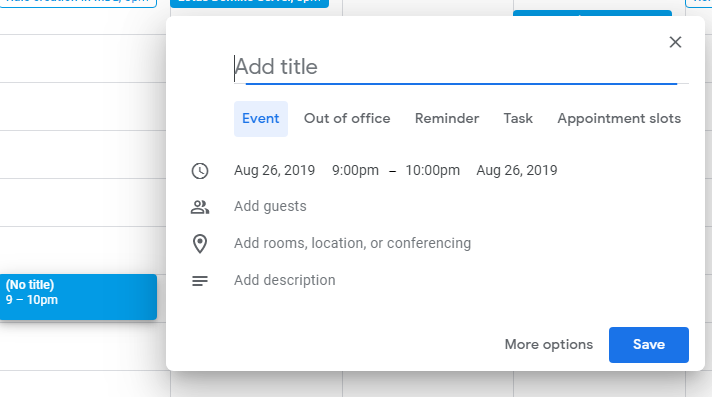
2. Select Out Of Office option and duration of out of office and click on save.

When composing an email to person who has set up Out Of Office as above in Calendar, the alert would appear in the applications when they would be contacted.


Additional detail: If you would like to disable sharing of availability information to other G Suite apps, you can do so in Calendar under Calendar settings > Access permissions.
Just deselect “Show calendar info in other Google apps, limited by access permissions.