SUMMARY
Below are the steps for listing a new app to the APP STORE/PLAY STORE for Public use.
DETAILS
1. For new Applications: refer to Architecture & Security Review Process
To upload any app on the App Store ( Whether Internal or Public), we need to get the binary scanned by raising a request here (https://colgategit.freshservice.com/support/catalog/items/338). However, to understand the requirement and prerequisite, we still need to raise Charms' ticket for hosting the app on the Public App Store.
2. Attach approval from the Security and Architecture teams.
3. Specify Android and/or iOS.
4. Attach the binary file of the application, i.e. .IPA file for iOS app and .APK file for Android App or location where the files are stored.
5. Raise a ChaRM request with all the approvals and files.
For further reference, please follow below steps.
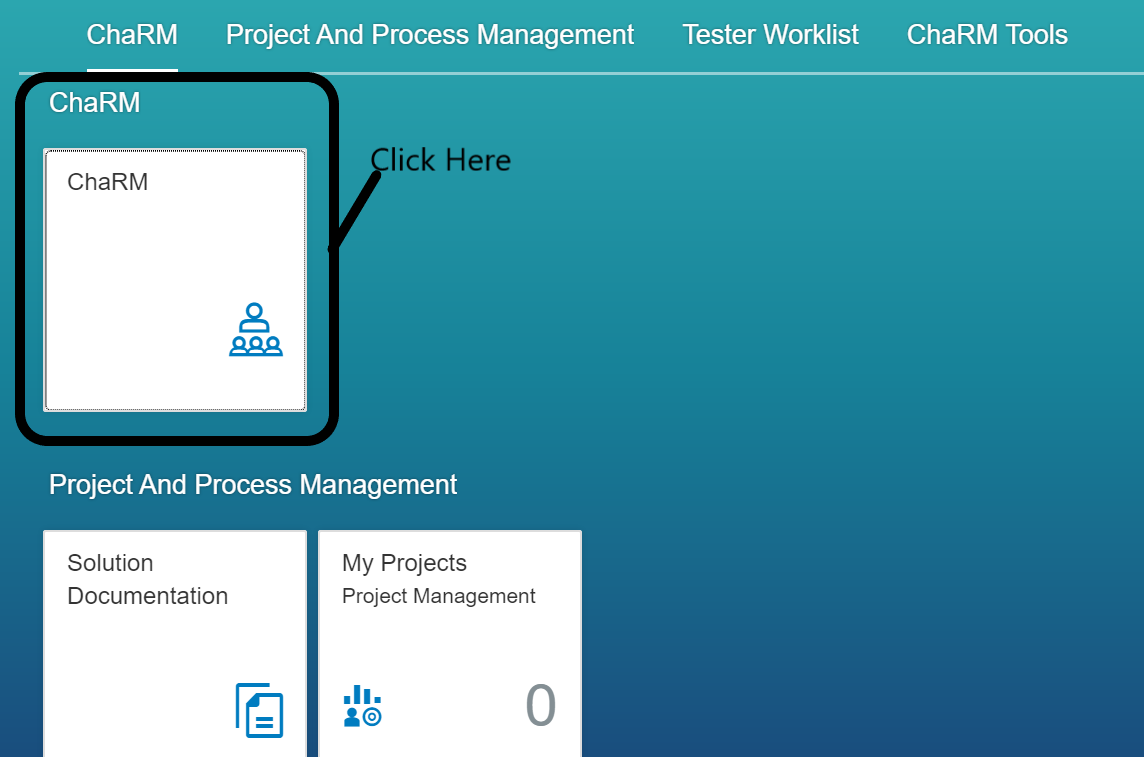
1. Click on 'ChaRM'.
2. Go to Create > Incident from template

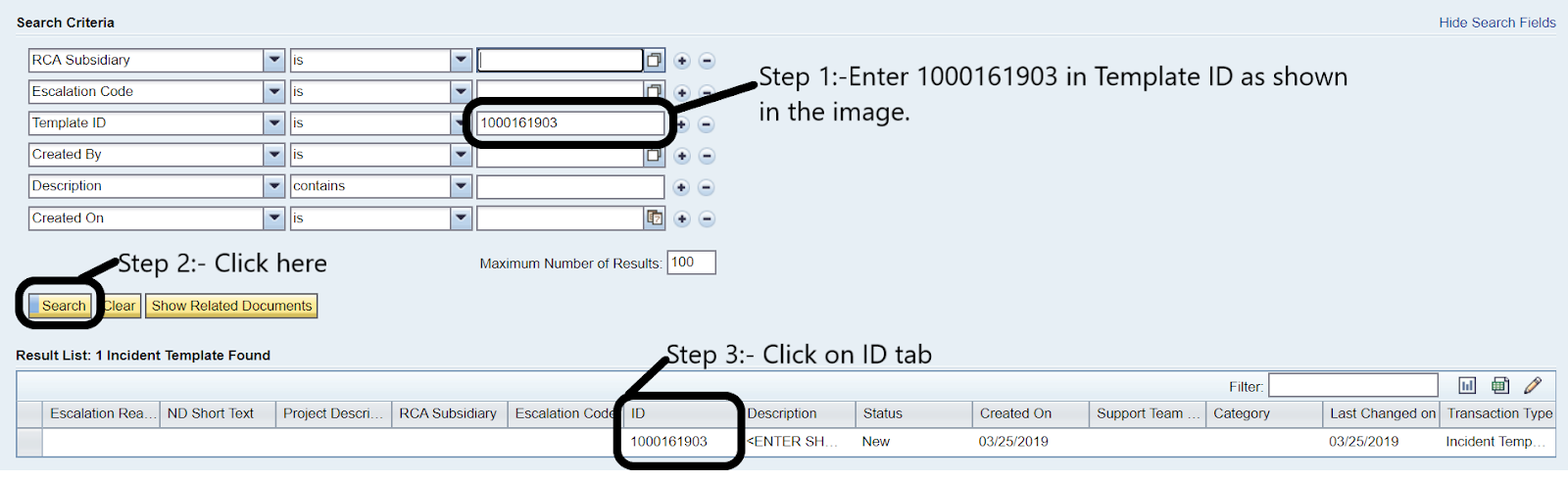
3. New popup windows will appear in the “Template ID” field, please enter 1000161903 and click search.