SUMMARY
User wants SAP system to use local language setting or characters are displayed incorrectly. Example: Characters display as ‘##’
DETAILS
1) Open the SAP GUI
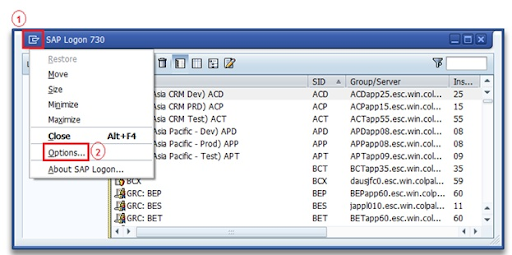
2) Click on the Icon in the upper left corner.
3) Choose "Options"
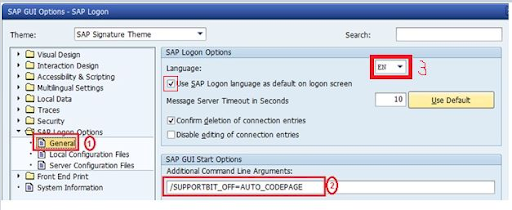
4) Click on "General"
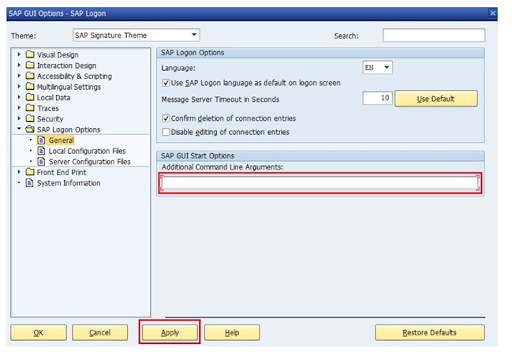
5) Delete the text if any in the "Additional Command Line Arguments" field.
Select the preferred language and uncheck the check box of "Use SAP Logon Language as default on Login Screen".
NOTE: You can display SAP Logon in the language that you select. With the checkbox you can specify that the SAP logon language you selected is the default language when you log on to the system.
6) Click on "Apply"