- To Add any Apps in your Okta Dashboard
1. Go to https://sso.colpal.com
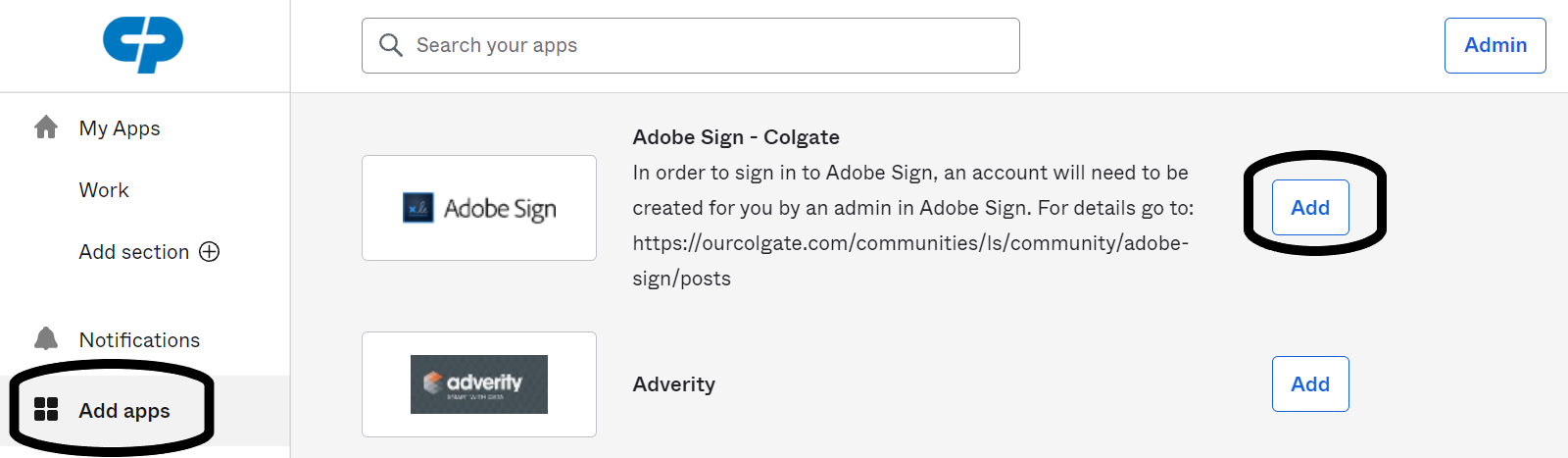
2. Click on "Add Apps" and Select any app you wish to add
Note: For access related issues you can reach out to the respective App owners groups.

1. Go to https://sso.colpal.com
2. Click on "Add Apps" and Select any app you wish to add
Note: For access related issues you can reach out to the respective App owners groups.