HOW TO GET ACCESS TO ATLAS TOOL AND GUIDE USERS FOR ISSUES.
SUMMARY
There are two solution points mentioned in the below article in regards with ATLAS Tool.
Getting access to ATLAS Tool.
Issues in ATLAS Tool.
DETAILS
1) To get access to ATLAS Tool login to https://sso.colpal.com/ and then Go to add Apps:
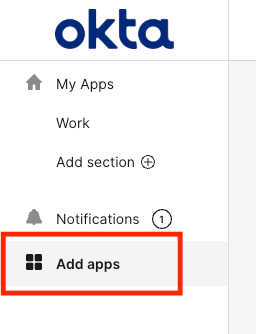
2) On the Search bar, search for Atlas:
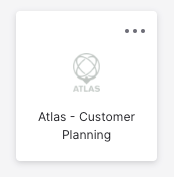
a. For Production : Atlas - Customer Planning
b. For Dev/QA/Mock: Atlas - Test
3) Click on Add. ( The app is set to be auto approved, hence you would get access immediately)
4) Go back to the My Apps on Okta side panel.
5) Now you should be able to see Atlas or you can also visit https://atlas.colpal.cloud/
Note: To plan in Atlas, you must be assigned to an Atlas territory.
Please reach out to your regional Atlas business champion for this assignment. If you are unsure who your business champion is, contact your manager or submit an IR/CHARMs request
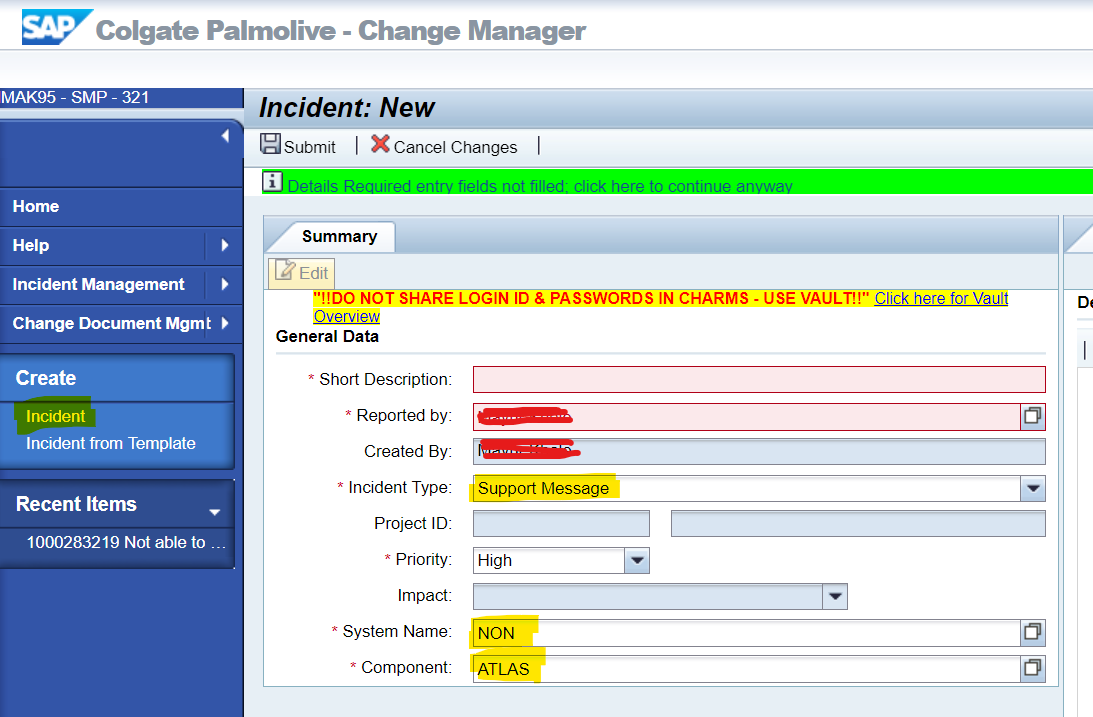
Under CHARMS, select:
Incident Type: select ‘Support Message’
System Name: NON
Component: ATLAS