
SUMMARY
This article gives the steps to resolve the error "Cannot determine a front end path" in any SAP system.
DETAILS
The error that is received says, "Cannot determine a front-end path"
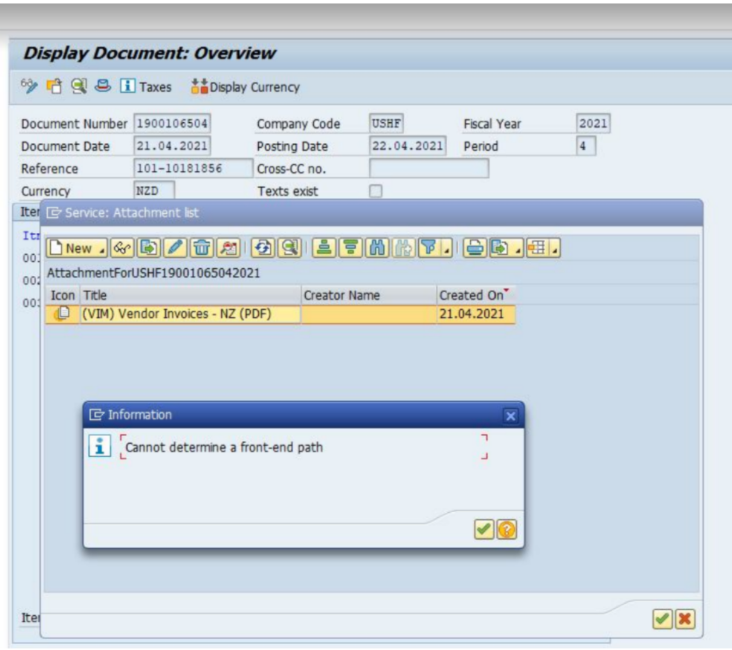
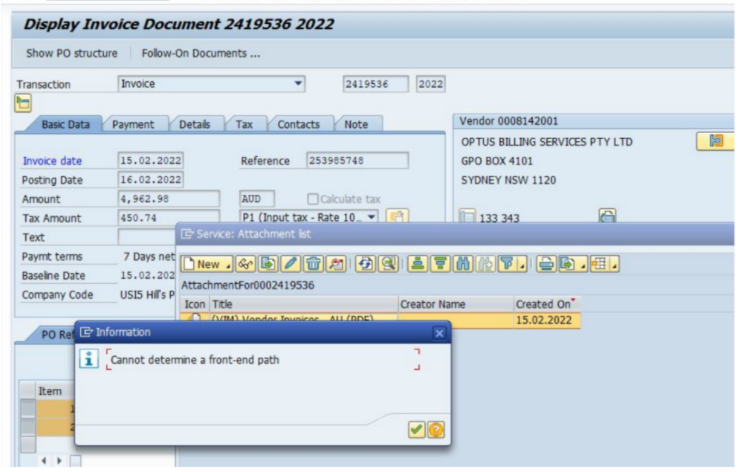
SOLUTION :
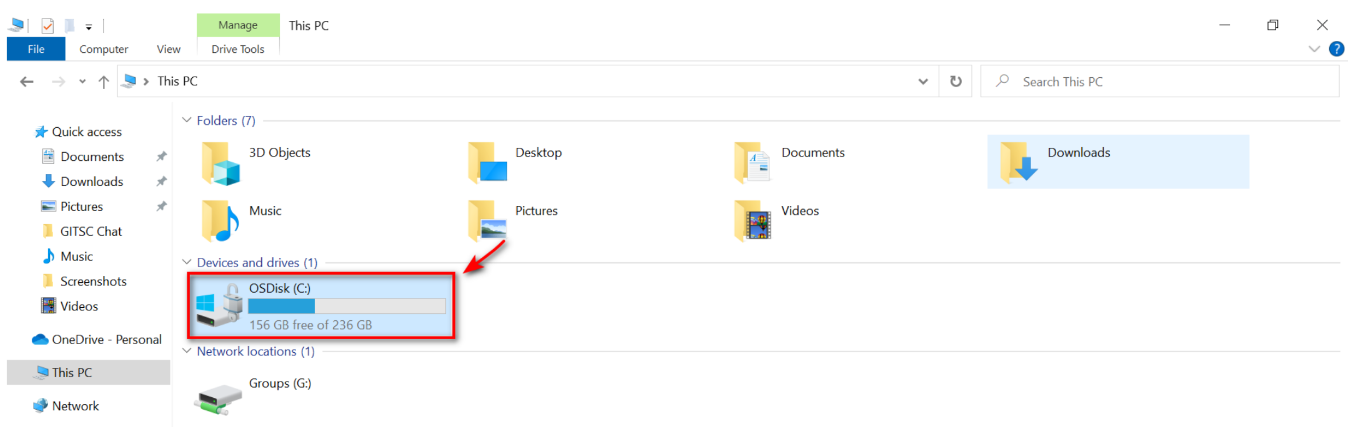
1. Go to Disk (C:)
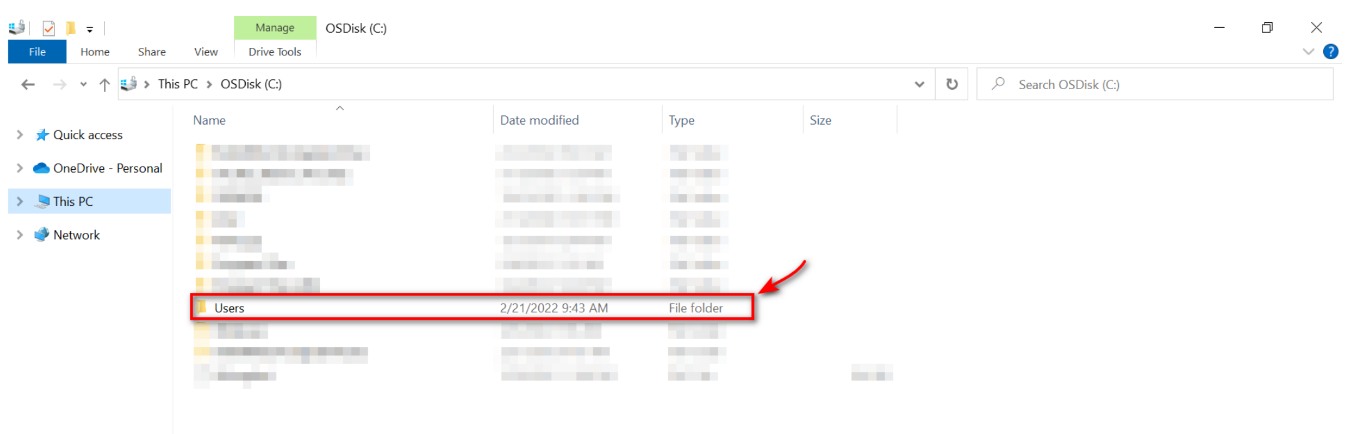
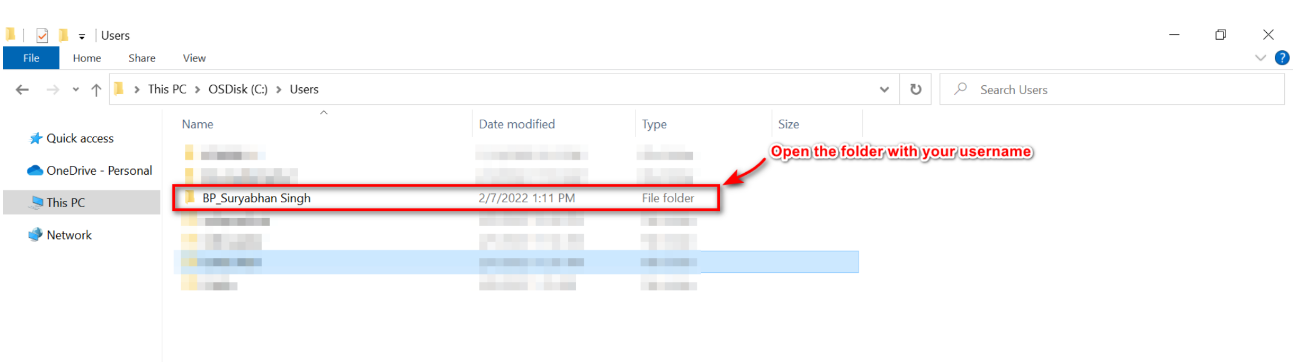
2. Open Users folder.
3. Open the folder named with your username.
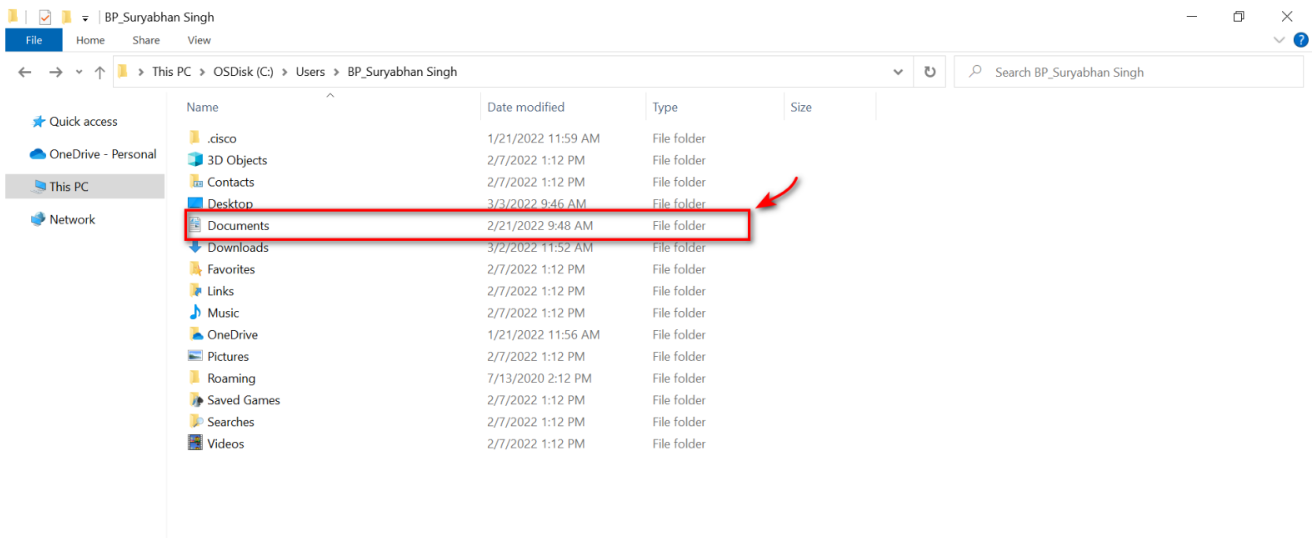
4. Go to Documents folder.
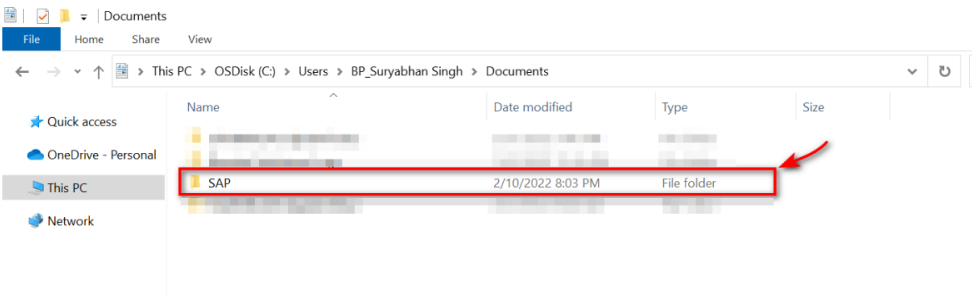
5. Go to SAP folder.
6. Open SAP GUI folder.
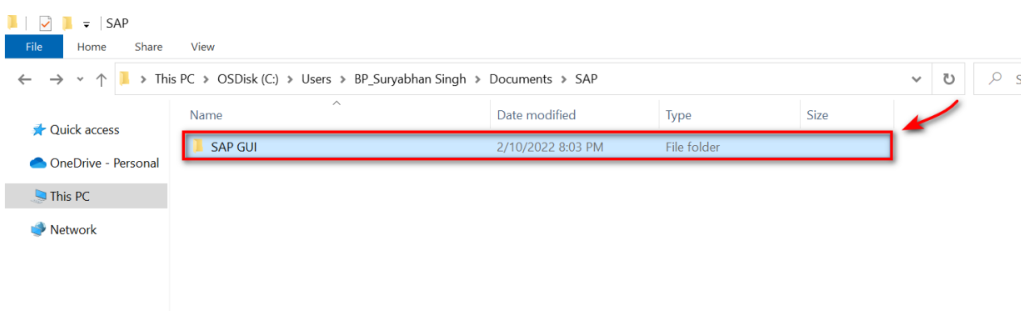
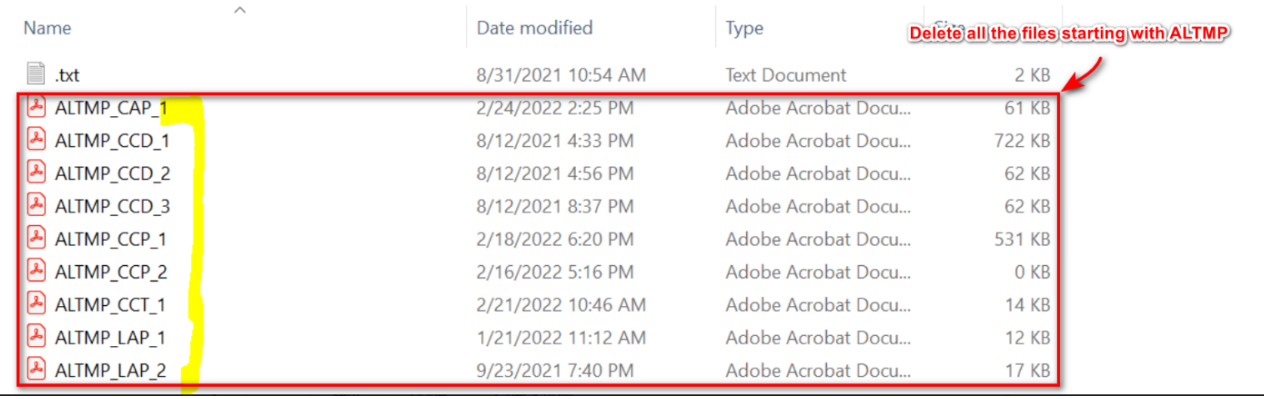
7. Delete the files starting with ALTMP. There will be 50 such files. Request you to kindly delete them.
8. Kindly check in the SAP system now and confirm if you are able to see the invoices or not.
If still the issue persists, then please Contact IT Helpdesk.