
SUMMARY
There is a change in the way of creating a Macro or AppScript for the first time where the users need to follow the certification process.
DETAILS
Google’s Suite of Applications such as Sheets, Docs, Slides, Forms and even Data Studio can be extended using Google AppScript, this also includes any Macros created in Google Sheets.
In an effort to reduce the risk associated with scripts, especially in the handling and processing of sensitive data, we will be implementing a Certification process for users who create Macros and AppScript projects.
User will receive the email.
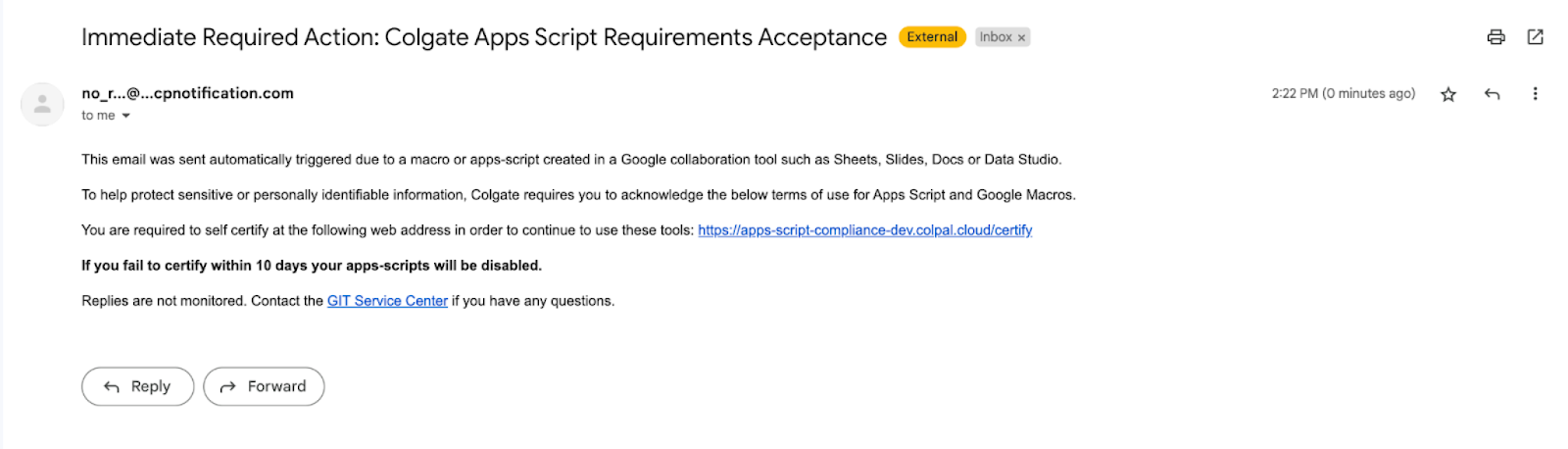
After clicking the link you will be taken to certification screen.
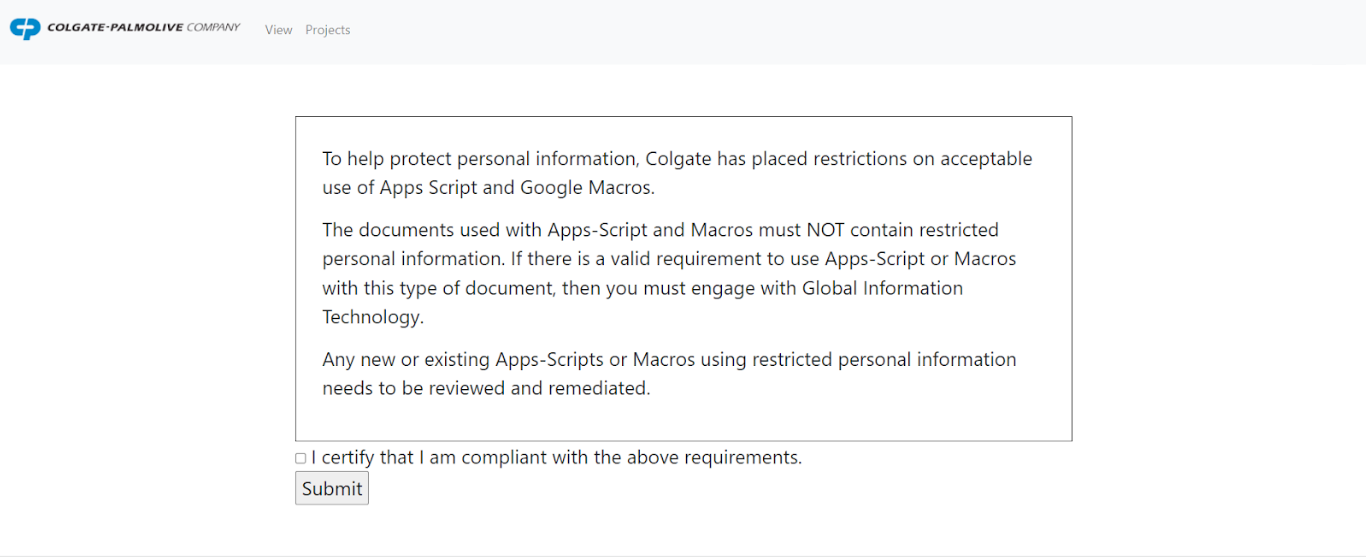
Users who certify, will receive an email confirmation. Certification is good for one year after which an email to recertify will automatically be sent.
There is a 10 day grace period. If the user fails to certify during the grace period their AppScript project will be disabled. This is the error that will be seen.
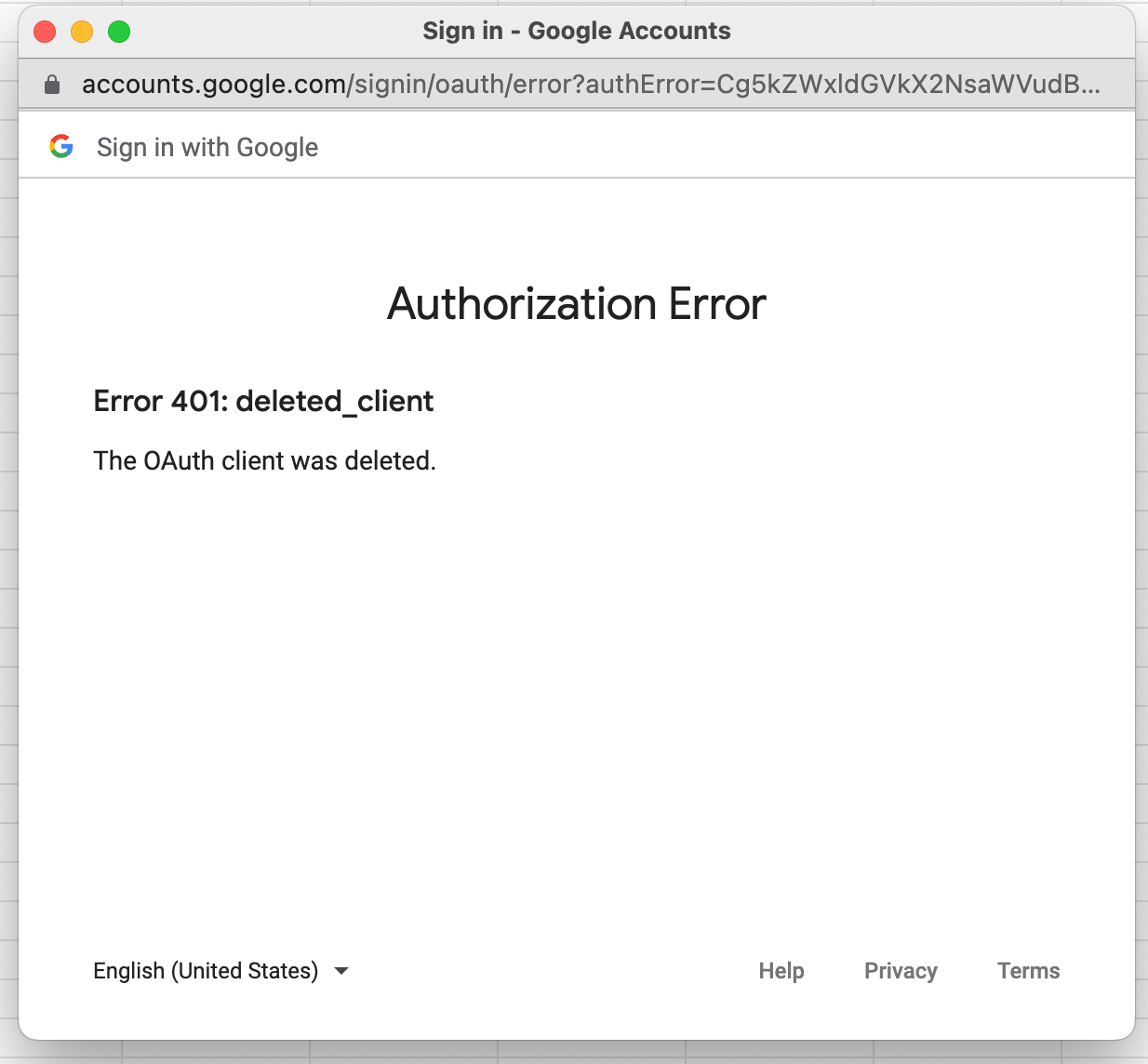
If you receive Authorization error 401 Deleted_clinet error
1)You will need to complete the certification.
2)Make a copy of your script to a new project, or for Macros or code in Sheets make a new copy of the Google sheet to run the macro or code.
Check out other questions and answers about this here App Script Compliance FAQ