SUMMARY
Below are the steps for listing a new app to the APP STORE/PLAY STORE for Public use.
DETAILS
1. For new Applications: refer to Architecture & Security Review Process
2. Attach approval from the Security and Architecture teams.
3. Specify Android and/or iOS.
4. Attach the binary file of the application, i.e. .IPA file for iOS app and .APK file for Android App or location where the files are stored.
5. Raise a ChaRM request with all the approvals and files.
For further reference, please follow below steps.
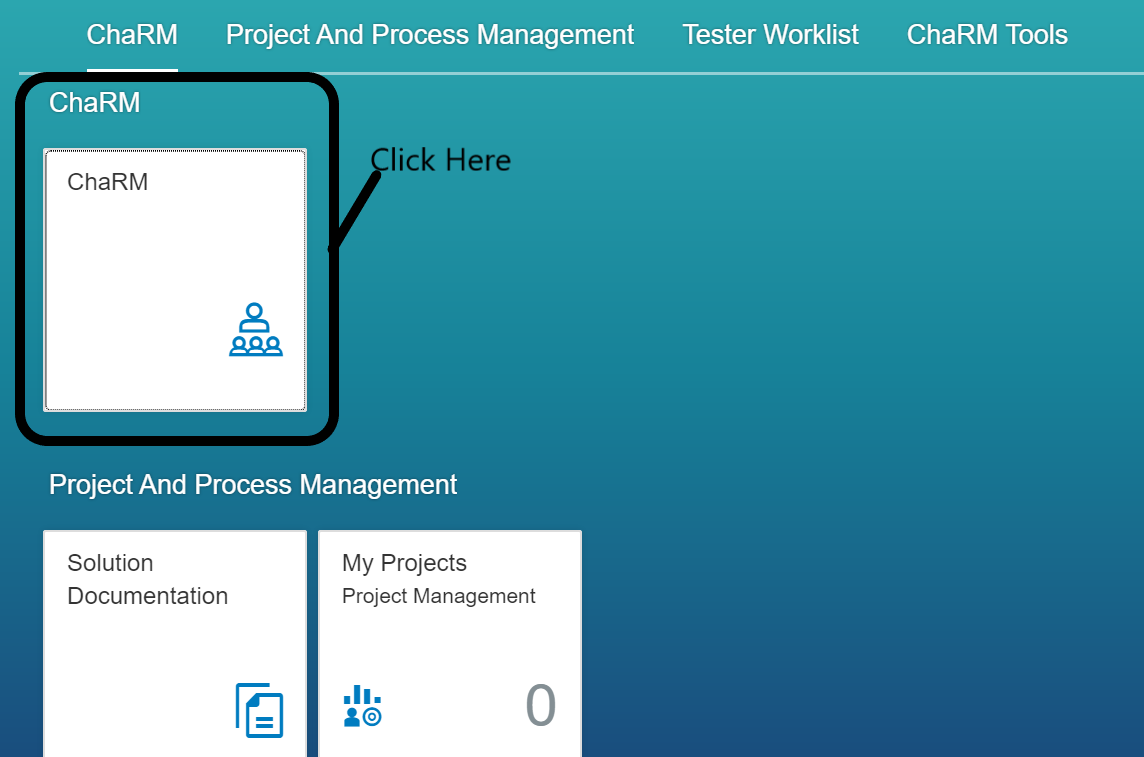
1. Click on 'ChaRM'.
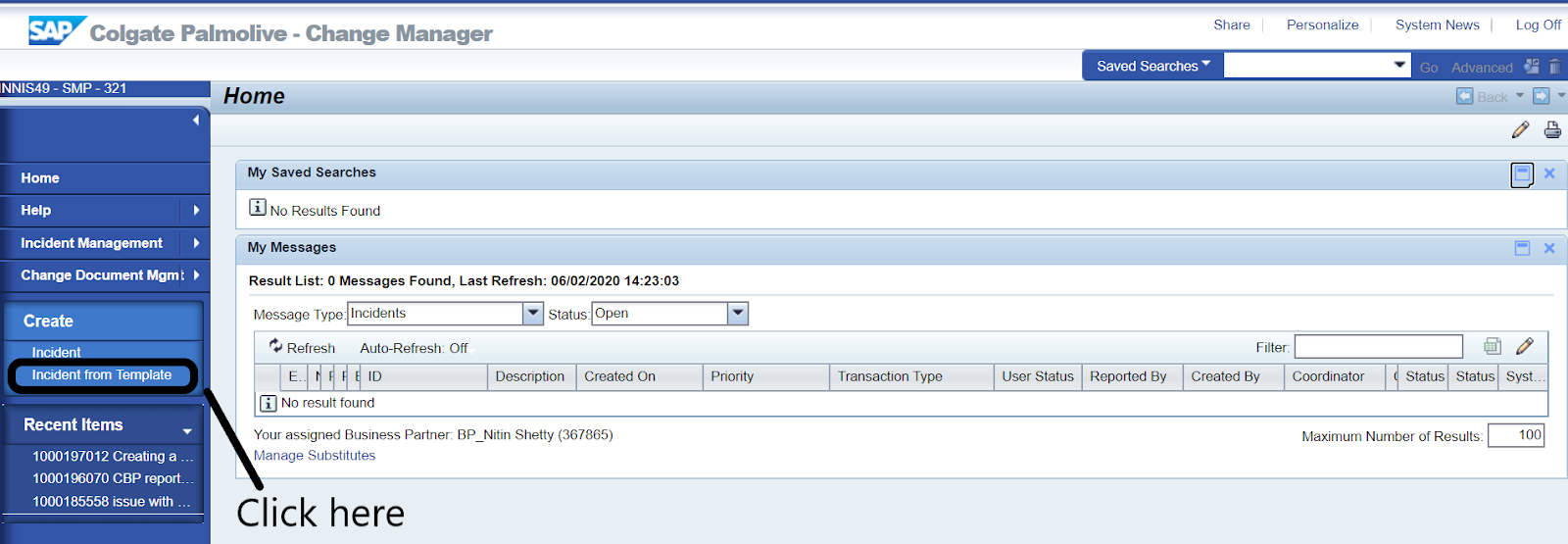
2. Go to Create > Incident from template
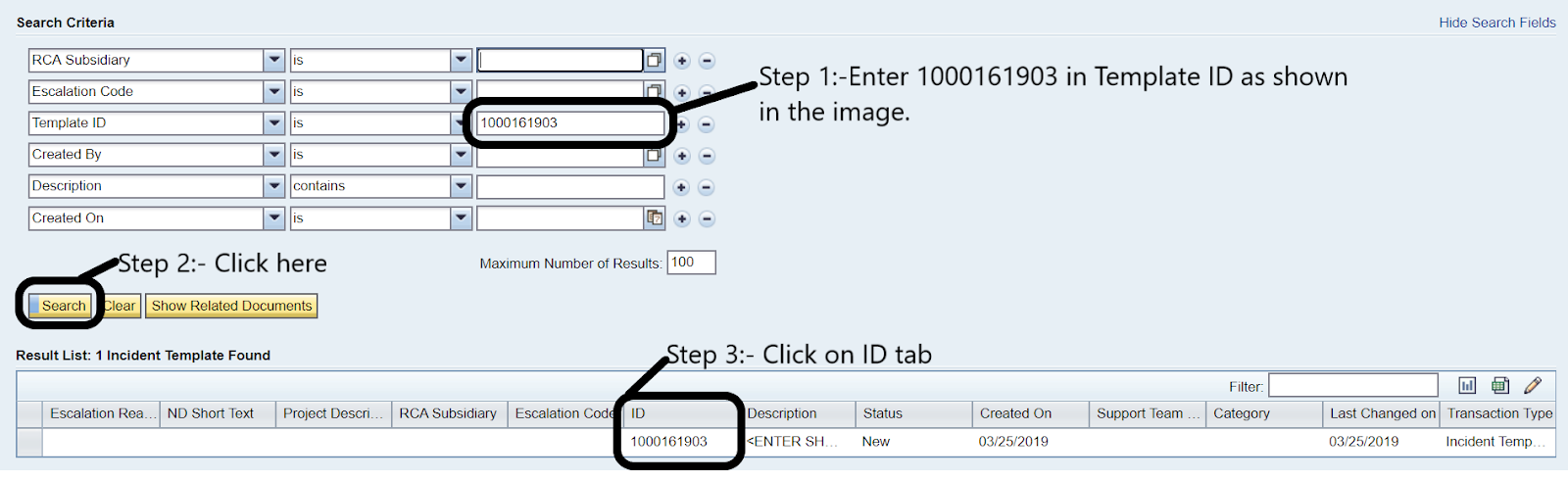
3. New popup windows will appear in the “Template ID” field, please enter 1000161903 and click search.