
SUMMARY
Secure Login Client is needed to login to SAP systems automatically using single sign-on.
DETAILS
If you are prompted to enter your login credentials for SAP systems, then follow steps to enable single sign on:
1) Click on small down arrow right side down on taskbar
2) Select the blue check icon.
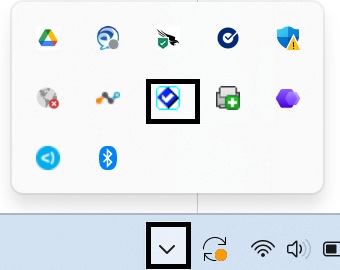
3) Open SAP Secure Login client.
4) Right Click on your name and select "Use Profile for SAP Application"
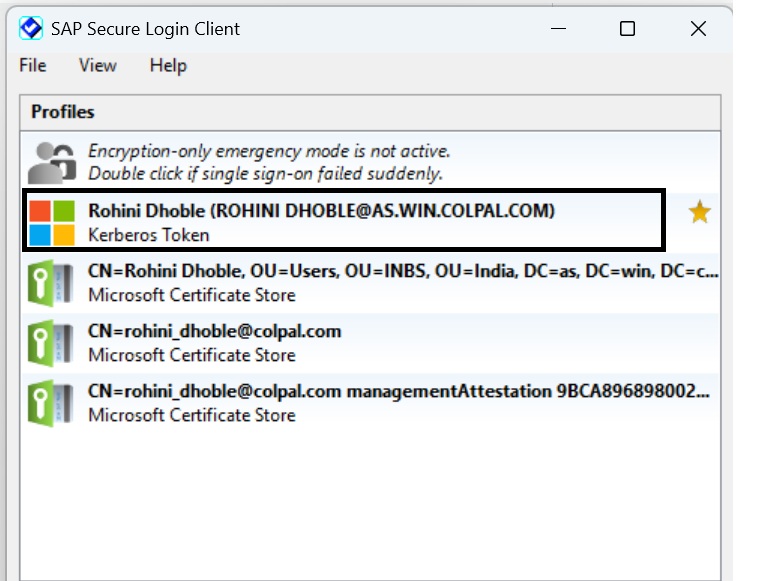
5) Close sap application, open again and you will be able to login.