
SUMMARY
This article helps with the steps that the users can perform when
1. Creating Apple Account on the Company owned Apple devices.
2. Installing a software from the App Store on the Company owned Apple devices.
DETAILS
1) Users are unable to created Apple account on Company issued Apple devices.
When user gets the following message when trying to create a new Apple Account: “Your Apple Account cannot end in @colpal.com. Choose a different email address.”
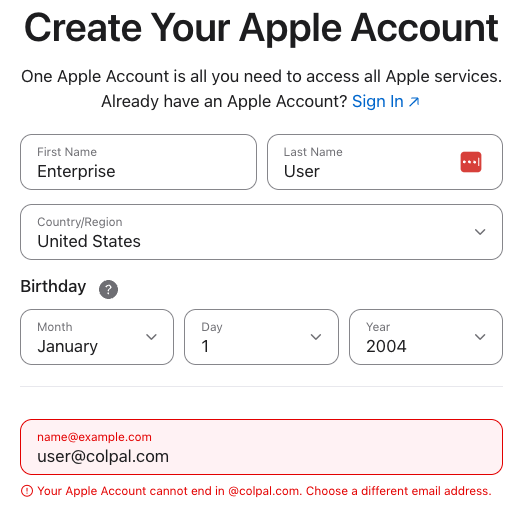
Please note that Colgate has locked the ability for users create new Apple Accounts using its domains
- hello-products.com
- pcaskin.com
- tomsofmaine.com
- filorga.com
- eltamd.com
- hillspet.com
- cpskinhealth.com
- colpal.com
There is no need to log in to an Apple Account on Company Issued Apple Devices.
2)User needs to log in with an Apple Account to download an app from the App Store.
Company Issued Apple Devices such as Macbooks, iPhones and iPads automatically enroll into Workspace ONE. Apps required to perform day to day tasks are available in Workspace ONE Intelligent Hub.

If the app you require to perform your function is not available please open a request to have the app added to WS1.