
SUMMARY
This script will guide you the escalation process if you face any issue with the "Ceridian" Payroll portal.
DETAILS
Colgate and Hill"s US and Puerto Rico have changed Payroll providers. New Provider is called Ceridian.
- For Logging In with Colgate Registered Device
When logging in from Colgate-Registered devices, employees can use Single Sign-on (no user name/password required),
- For Logging In with Non Colgate Registered Device
The employees/retirees will need to know their User Name and Password.
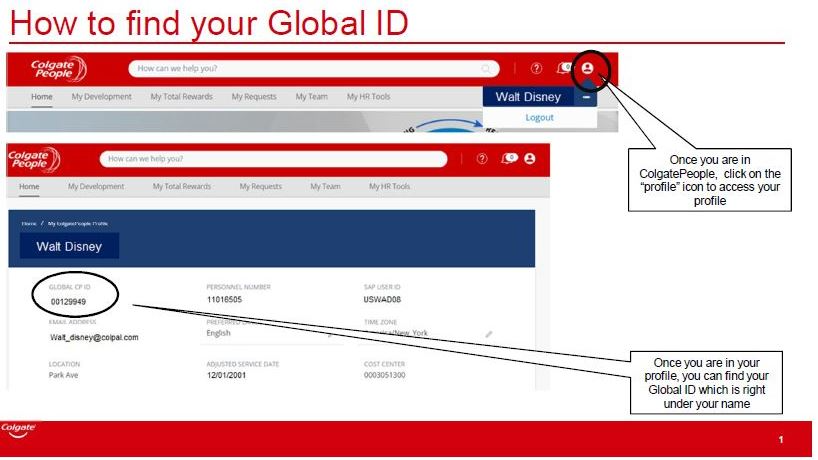
NOTE: User Name is their Global ID Number, which can be found on Colgate People Tab and will be provided to retirees/terminated employees as part of their package.
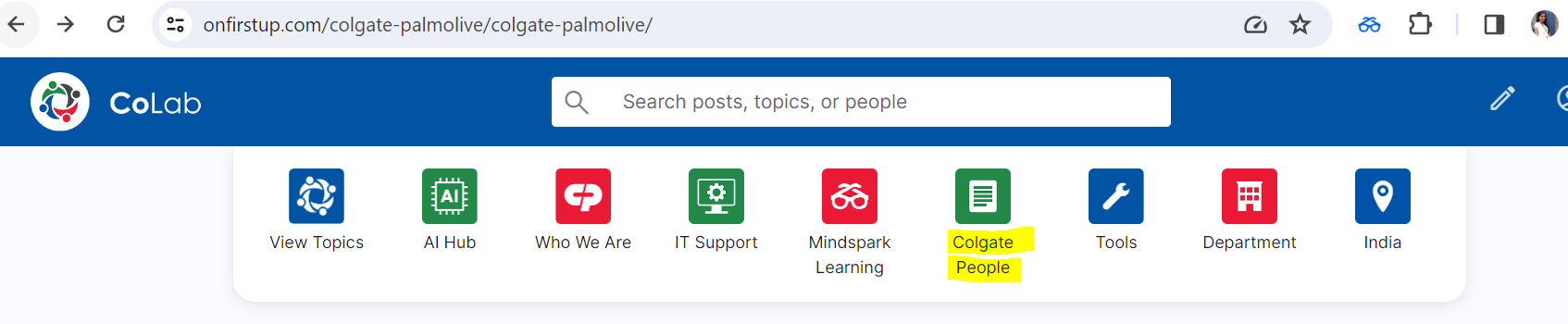
You can find your Global ID from the Colgate People portal under your profile.
Default password is {LASTNAME}{Last 4 Digits of Social Security Number}Last Name in Upper Case (NO HYPHENS)
NOTE: Password can be changed in the Ceridian Website
For all Payroll questions employees should call the CP Cares Call tree and reach Ceridian Call Center CLICK HERE