
SUMMARY
Please refer details section for further information
DETAILS
1.Login to Colab portal
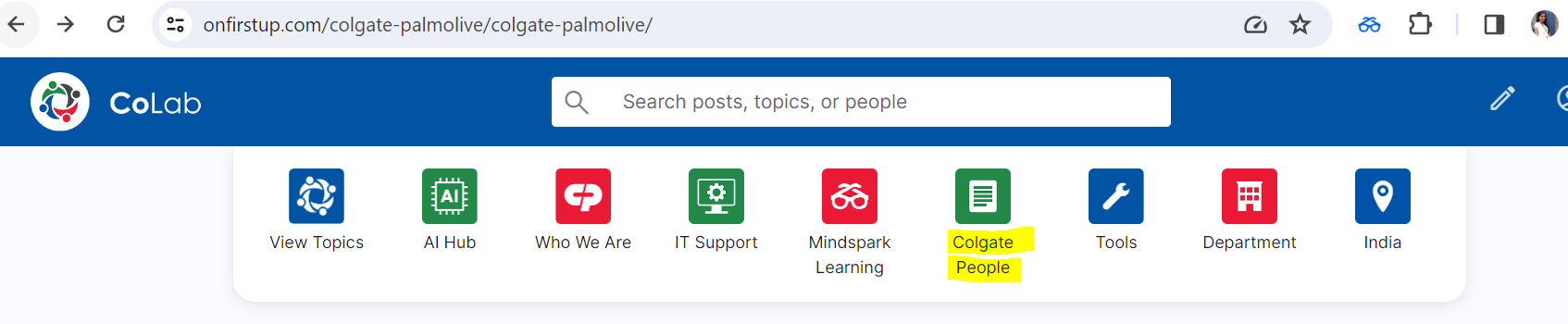
2.Click on Colgate People Icon.
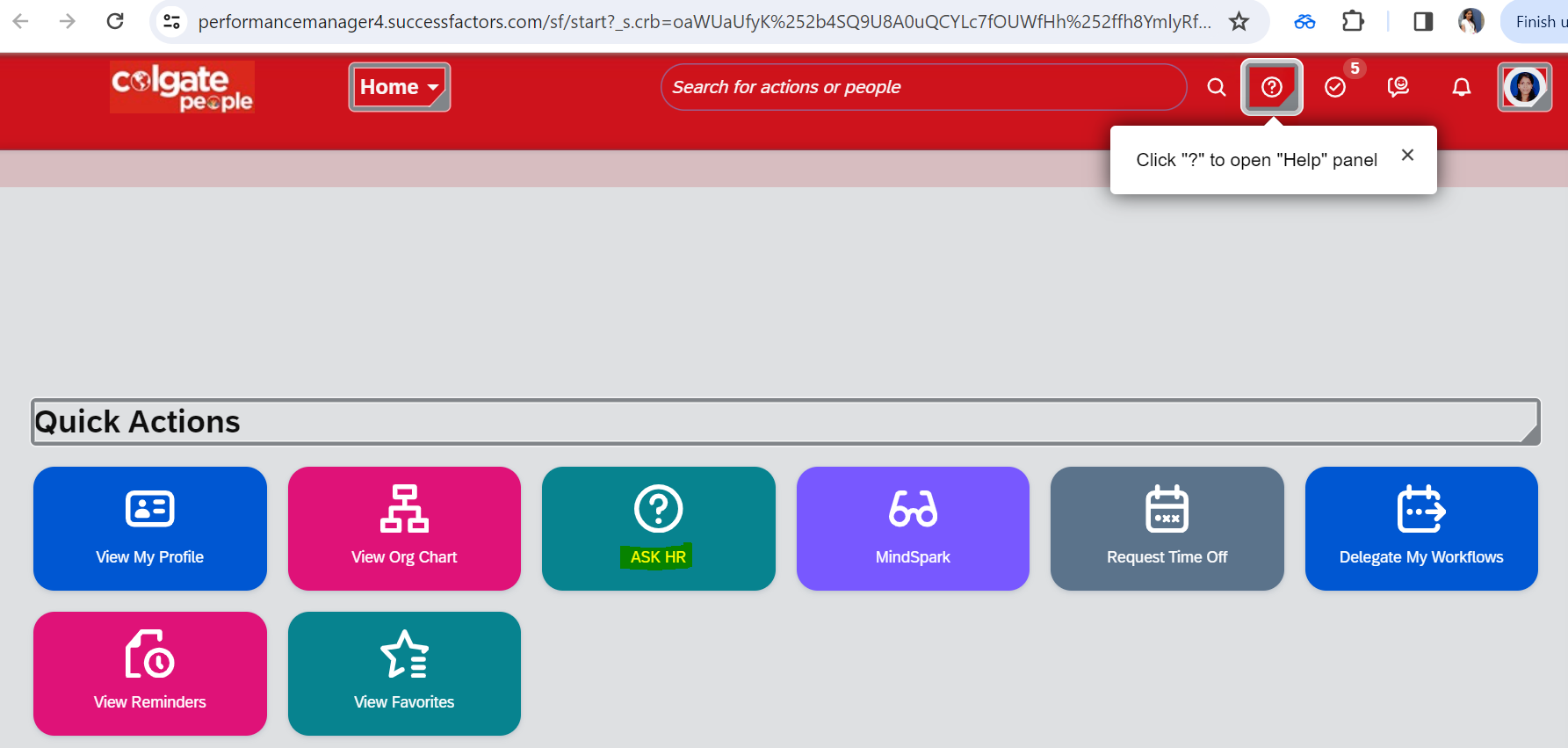
3.Click on AskHR Tab to create the request.
4. Fill in the request details as per your query type and you will receive a system generated email notifying your request number.
This can be used to follow up with your HR team member with your request.