
SUMMARY
The IT Helpdesk BOT is here to provide you with instant support for common IT questions and issues, available 24 hours a day, 7 days a week.
Please refer below pointers on how to use this support service efficiently.
1. Important: Prerequisites for Access.
2. How to Access the IT Helpdesk Bot.
3. How to Use the Bot Effectively.
Details
1. Important: Prerequisites for Access 🔑:
To ensure a secure and smooth experience, every chat session will have a mandatory Multi-Factor Authentication (MFA) Passcode or Biometric.
If you are unable to access the bot, please follow this guide first: Link to Guide.If you still have challenges logging in after following the guide, please send an email to: askit_bot_loginissue@colpal.com.
2. How to Access the IT Helpdesk Bot 💻 :
You can access the IT Bot via the same familiar channels you use today for IT Helpdesk Support support listed below:
- Desktop Shortcut
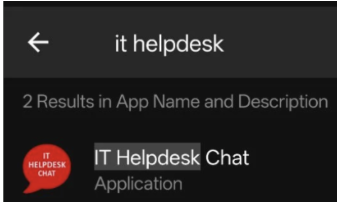
- Mobile App
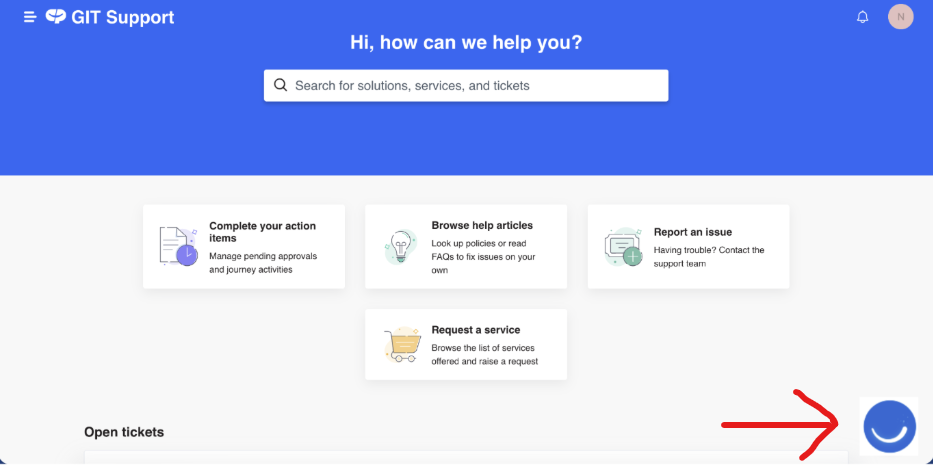
- IT Support Portal
3. How to Use the Bot Effectively 💡:
The bot is designed to understand how you naturally speak, but also offers guided options for efficiency.
For guidance on utilizing the bot, please refer to the following video tutorials:
Using Natural Language: Link to Video
Using Predefined Buttons: Link to Video
Inquiries may be submitted in your preferred language. Feel free to ask anything. If Bot is not able to answer your query you will be transferred to a live human agentFew of the examples are given below.
I want to reset my password
I want to unlock my SAP ID
I want to rise a new service request
I want to create a new ticket
I want to know the status of my tickets
Need access to Sap System
How do i unlock my windows account
How to extend my business partner account?
Unable to connect to VPN
Need to set okta verify on my cell-phone
I want to install "XYZ" software on my laptop.
I want to enroll my cell-phone to hub
Need Access Domo/Sigma/Snowflake
How do I enroll my Company owned device
I need to access to AI HUb
Need to access Atlassian/Trello
My camera is not working
I have a problem with my keyboard
How do install a new printer
Need access to Ariba Portal
Request for google meet recording
I need access to Cisco Jabber
I have received a phishing email. Please help?
Need access to VCP Public Wifi ( For Visitors, Guest)
I have lost my cellphone. Please help
My Microphone is not working
I have a damaged mouse
Not able to browse website
My laptop is not charging
How do i create a new business partner
How do I raise charms?
How do I share files with external vendor
How do I contact ESC production control