Ensuring Patients Receive Their Telehealth Links
Overview
Simple Interact controls all telehealth communications with patients. While Athena still displays a “Send Telehealth Link” button, this function does not work. All links are automatically sent through Simple Interact.
If a patient reports not receiving their telehealth link, staff can manually resend and verify delivery through Simple Interact.
Resending a Telehealth Link
- Open the Simple Interact App under the Athena Apps dropdown.
- Search for the patient you are working with.
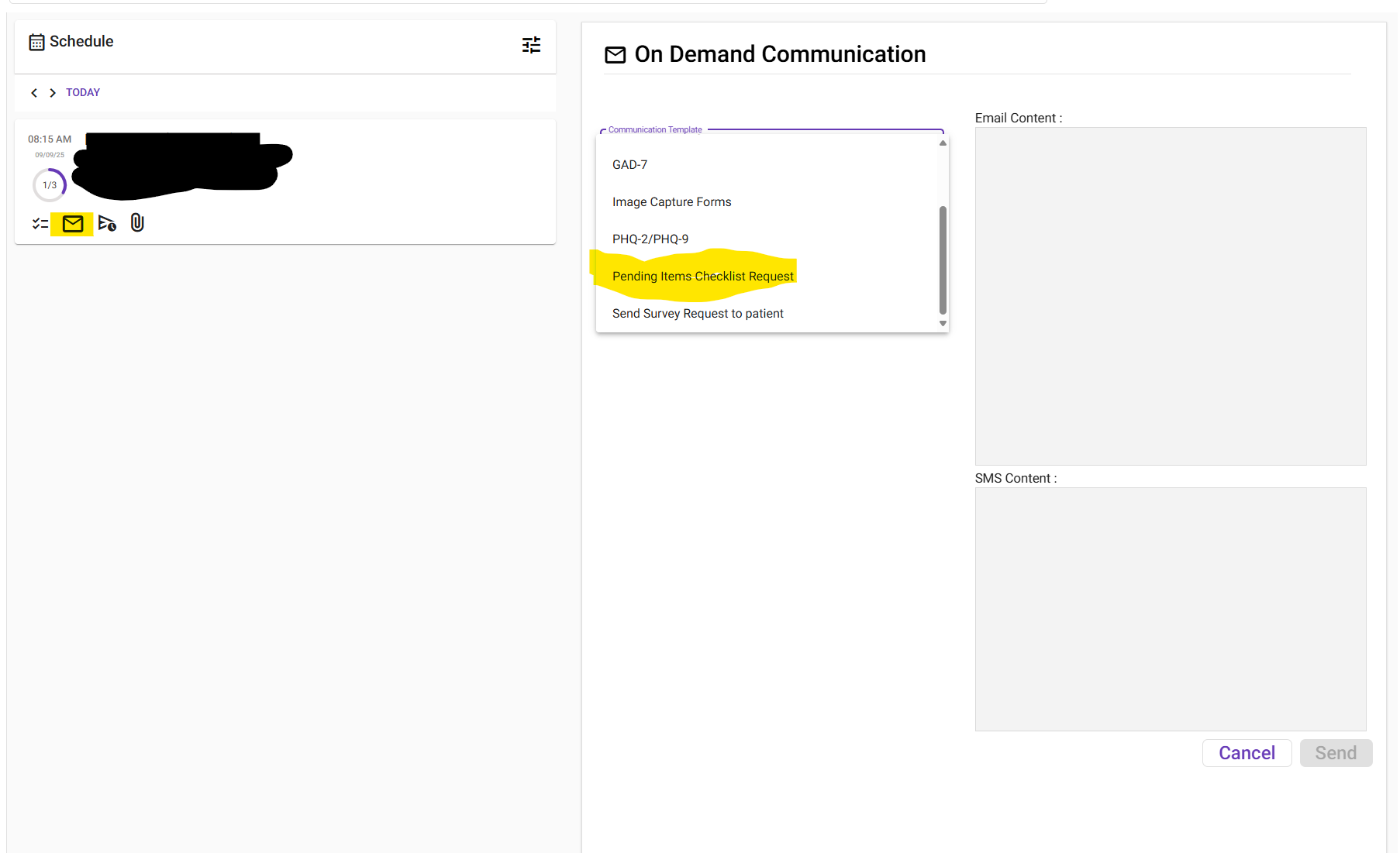
- Click the envelope icon.
- In the Communication Template dropdown, select:
- “Pending Items Checklist Request”
- This will auto-populate both the Email and Text fields.
- Under Recipient, select the patient’s name.
- Click Send.
Verifying a Telehealth Link Was Sent/Received
- Open the Simple Interact App under the Athena Apps dropdown.
- Search for the patient you are working with.
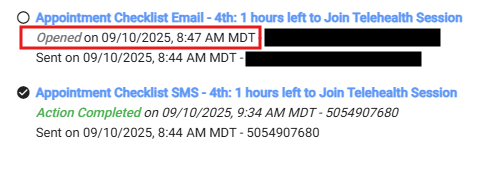
- Click the paper airplane icon (next to the envelope icon).
- You can see they opened and/or received by looking at the history:
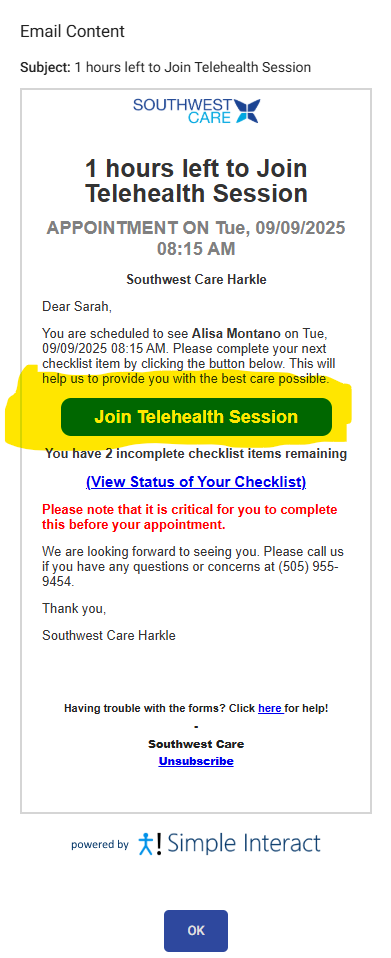
This is what it looks like from the patients view:
✅ Key Reminder:
- Do not use the “Send Telehealth Link” button in Athena—it does not function.
- Always use Simple Interact for resending and verifying telehealth links.